
Kodi IPTV Player:
Stream Live TV on Firestick, Android & Smart TV

Download the best IPTV player for Firestick, Android TV, Roku, LG, and Samsung TV. KODIPTV Player delivers buffer-free IPTV streaming with full M3U and Xtream Codes support. Install in minutes and watch live TV, sports, and movies on any device.
Compatible with your devices
Why Kodi IPTV Player Is the Best Choice for IPTV Streaming on Firestick
Whether you need an IPTV player for Firestick, Android TV, or your smart TV, KODIPTV Player delivers buffer-free live TV streaming with the features that matter.
Buffer-Free IPTV Streaming
Our optimized streaming engine delivers smooth playback even on slower connections. Whether you are watching live sports or 4K movies, expect zero buffering with this IPTV player for Firestick and Android TV.
Works on Firestick, Android TV, Roku & More
Firestick 4K, Fire TV Cube, Android TV, Roku, LG Smart TV, Samsung Smart Hub, and Windows. One IPTV player works across every screen in your home. No need to buy separate apps for each device.
Supports M3U URLs & Xtream Codes API
Bring your own IPTV subscription. KODIPTV Player supports M3U playlists and Xtream Codes API integration. Just paste your playlist URL or enter your credentials and all your channels load instantly.
Easy Setup on Firestick & Android TV
Install from the app store, add your M3U playlist or Xtream Codes, activate, and start watching. No technical skills required. Our guide on how to install Kodi on Firestick walks you through every step.
Beautiful, Minimal Interface
No clutter, no confusion. A clean IPTV player UI that puts your live TV channels and VOD content front and center. Navigate your M3U playlists with ease on Firestick, Android TV, or your smart TV.
24/7 Support for IPTV Users
Got stuck setting up your IPTV player on Firestick? Our support team responds within hours, not days. Whether it is an M3U playlist issue or activation help, we have you covered.
Your Complete Guide to Kodi IPTV on Firestick
Master your Firestick with our step-by-step tutorials. From how to install Kodi on Firestick to finding the best IPTV player and free streaming apps, everything you need is here.
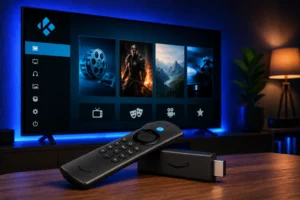
How to Install Kodi on Firestick: Complete Step-by-Step Guide (2026)
Learn how to install Kodi on Firestick with this complete step-by-step guide. Covers Downloader method,…
Best Kodi Alternatives for Firestick in 2026: Top 7 Streaming Apps Compared
Looking for Kodi alternatives for Firestick? Compare the best streaming apps including KODIPTV Player, Plex,…
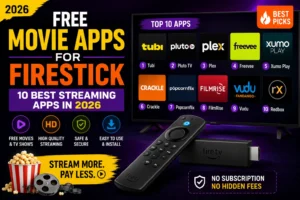
Free Movie Apps for Firestick: 10 Best Streaming Apps in 2026
Discover the 10 best free movie apps for Firestick in 2026. From IPTV players to…
How to Jailbreak a Firestick Safely: Complete Guide (2026)
Learn how to jailbreak a Firestick safely in 2026. Step-by-step guide covering settings, Downloader app,…
Best Firestick Remote Apps for Android: Control Your Fire TV from Your Phone
Best Firestick remote apps for Android phones. Control your Fire TV from your phone with…
IPTV Tips & Guides for Firestick, Android TV & Smart TV
Learn how to install Kodi on Firestick, find the best free movie apps, compare top IPTV players, and more. Our guides help you get the most out of your Kodi IPTV player streaming setup.
 Firestick
Best VPNs for Firestick & IPTV Streaming in 2026: Complete Guide
Using the best VPN for Firestick IPTV protects your privacy, prevents ISP throttling, and unlocks geo-restricted content. Best…
 IPTV
IPTV
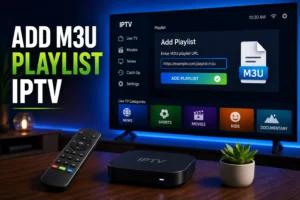
How to Add M3U & Xtream Codes to IPTV Players: Complete Setup Guide (2026)
Learning to add an M3U playlist to IPTV apps lets you load hundreds of channels from your provider…
 IPTV
IPTV
IPTV Troubleshooting Guide: Fix Buffering, Freezing & Connection Issues (2026)
If you need to fix IPTV buffering and freezing, these troubleshooting steps will help you get smooth, uninterrupted…
 IPTV
IPTV
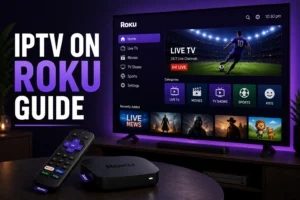
IPTV on Roku: Complete Guide to Streaming Live TV (2026)
Iptv On Roku Guide: How to Watch IPTV on Roku Yes, Roku devices can stream IPTV, but with…
Download Kodi IPTV Player on Firestick, Android, Roku & Smart TV
KODIPTV Player is available on every major platform. Download the best IPTV player for your device and start streaming live TV in minutes.
How to Install Kodi IPTV Player on Firestick & Other Devices
Setting up the best IPTV player for Firestick and smart TV takes just a few minutes. Follow these three simple steps to start streaming live TV, sports, and movies.
Download Kodi IPTV Player on Your Device
Grab KODIPTV Player from your device's app store. Whether you have a Firestick, Android TV, Roku, LG, or Samsung TV, the app is free and installs in under 30 seconds.
Add Your M3U Playlist or Xtream Codes
Enter your IPTV subscription details. Paste your M3U URL or enter Xtream Codes API credentials. Your live TV channels, sports, and VOD content load instantly in the player.
Activate and Start Streaming
Unlock all features with a one-time activation. Then sit back and stream live TV, sports, and movies on your Firestick, Android TV, or smart TV with zero buffering.
"I tried three other IPTV players for Firestick before finding KODIPTV. The difference is night and day -- my channels load in seconds, not minutes. The interface is actually pleasant to look at."