Free Movie Apps Firestick: What to Look for in a Firestick Movie App
Before diving into the list, consider these factors when choosing streaming apps for your Firestick:

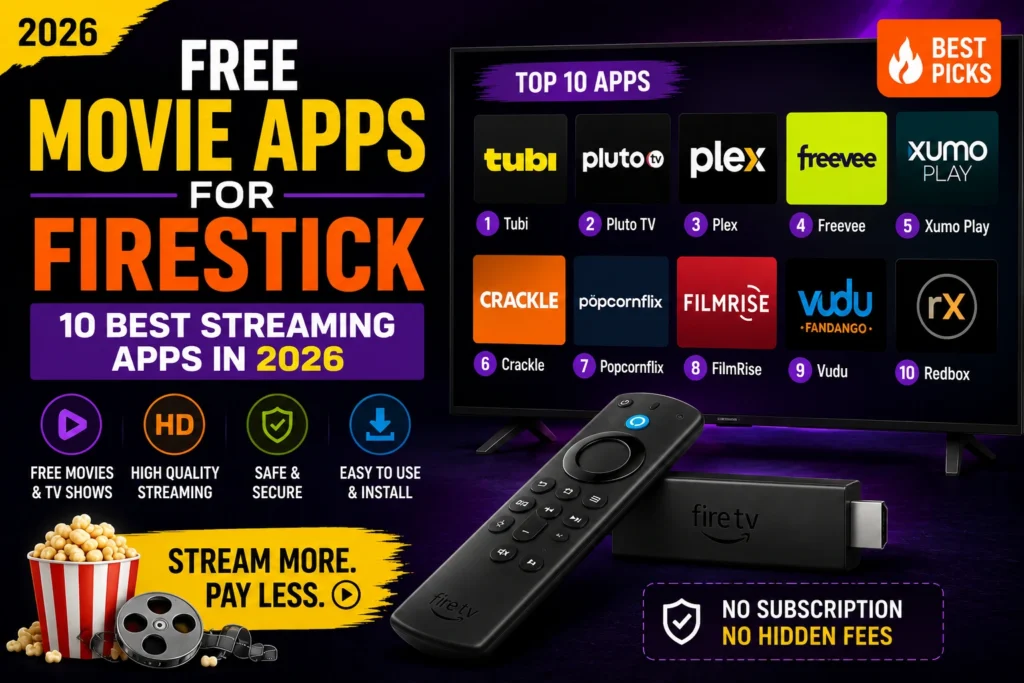
Best Free Movie Apps for Firestick
- Legitimacy — Stick to apps available through the Amazon App Store or trusted sources
- Performance — Apps optimized for Firestick run smoother on limited hardware
- Ad support — Free apps typically include ads; check how intrusive they are
- Update frequency — Regularly updated apps work better and fix bugs faster
1. KODIPTV Player
KODIPTV Player is a premium IPTV player that supports M3U URLs and Xtream Codes API. While it requires an activation plan starting at $9.99/month, it offers a superior streaming experience with 24/7 support, multi-language support, and compatibility across Firestick, Android TV, Roku, LG, and Samsung Smart TVs. It is the best choice for IPTV enthusiasts who want reliable, high-quality streaming.
2. Tubi
Tubi is a completely free, ad-supported streaming service with thousands of movies and TV shows. It is available directly from the Amazon App Store on Firestick and requires no subscription. The library includes major studio content alongside independent films.
3. Pluto TV
Pluto TV combines on-demand movies with live TV channels. It offers 250+ channels covering news, sports, entertainment, and movies — all free with ads. The grid-style interface makes it easy to browse.
4. Freevee
Amazon Freevee (formerly IMDb TV) offers free streaming movies and TV shows with ads. It is integrated into the Firestick interface and includes original content you cannot find anywhere else.
5. The Roku Channel
Although Roku makes the channel, it is available on Firestick too. The Roku Channel offers free movies, TV shows, live news, and even free premium channels like AMC and HISTORY select content.
6. Peacock (Free Tier)
NBCUniversal Peacock offers a free tier with thousands of hours of movies, TV shows, and live sports. The free plan includes ads but gives you access to popular content like The Office, Parks and Rec, and live WWE events.
7. Crackle
Crackle is one of the oldest free streaming services, offering movies, TV shows, and original programming. It is ad-supported and available directly on Firestick through the Amazon App Store.
8. Plex (Free with Ads)
Beyond serving your personal media library, Plex now offers a free ad-supported streaming service with movies, TV shows, and live TV channels. The interface is clean and polished.
9. VLC Media Player
VLC is not a streaming service itself, but it plays virtually any video format and supports network streams. Use it to play downloaded content or stream from a network drive on your Firestick.
10. Redbox
Redbox offers free ad-supported movies alongside its rental service. The free section rotates regularly and includes recent releases and classic films.
Tips for Better Streaming on Firestick
- Clear cache regularly — Go to Settings → Applications → Manage Installed Applications → select app → Clear Cache
- Use an ethernet adapter — Wired connections are more stable than Wi-Fi for streaming
- Manage storage — Firesticks have limited storage; uninstall apps you no longer use
- Install a Downloader — For sideloading apps not in the Amazon Store, the Downloader app is essential
For the best IPTV experience with reliable playback and professional support, activate KODIPTV Player today starting at just $9.99/month.
Why Free Movie Apps for Firestick Are So Popular
Free movie apps for Firestick have become incredibly popular because they eliminate the need for expensive cable subscriptions or multiple streaming service memberships. With a Firestick and the right free apps, you can access thousands of movies and TV shows without paying monthly fees. These apps generate revenue through advertising, which keeps them free for users. While you will encounter ads, the tradeoff is access to a massive library of content that rivals paid services like Netflix, Hulu, and Disney+.
The Firestick platform is ideal for free movie apps because of its open nature. Unlike Roku or Apple TV, which have restrictive app policies, Amazon allows a wide variety of streaming apps on its platform. This means you can install both official apps from the Amazon App Store and sideloaded APKs from third-party developers. The combination gives you access to the best free content available anywhere. Many free movie apps also support features like subtitles, multiple audio tracks, and watchlists, making them comparable to paid services in terms of user experience.
Detailed Reviews of the Best Free Movie Apps
Tubi leads the free streaming market with over 20,000 movies and TV shows. Its library includes major studio content from Paramount, Lionsgate, MGM, and Warner Bros., alongside independent films and international cinema. Tubi’s interface is polished and easy to navigate, with categories like Trending, Recently Added, and By Genre. The ad load is reasonable — typically one to two minutes of ads per hour of content. Tubi is available directly from the Amazon App Store and requires no account to start watching, though creating a free account lets you save your progress and create watchlists.
Pluto TV offers a unique hybrid experience combining on-demand movies with over 250 live TV channels. The live channels are organized by category — News, Sports, Entertainment, Movies, Comedy, and more. This gives Pluto TV a traditional cable TV feel with the convenience of streaming. The on-demand library is smaller than Tubi’s but still respectable. Pluto TV’s live channel lineup includes dedicated channels for specific shows like CSI, Star Trek, and Bob’s Burgers, airing episodes 24/7. The service is owned by Paramount, ensuring high-quality streams and reliable performance.
Freevee, Amazon’s own free streaming service, is deeply integrated into the Firestick interface. It offers a curated selection of movies and TV shows, including Amazon Originals that are exclusive to the platform. Freevee’s library includes popular shows like Bosch, Leverage: Redemption, and Jury Duty. The ad experience on Freevee is generally better than competitors, with fewer and shorter ad breaks. Since Freevee is built by Amazon, it works seamlessly with Firestick features like X-Ray, which shows actor and trivia information while you watch.
How to Install Free Movie Apps That Are Not in the Amazon Store
Some of the best free movie apps for Firestick require sideloading because they are not available in the Amazon App Store. To sideload, you first need to enable Apps from Unknown Sources in your Firestick settings. Go to Settings > My Fire TV > Developer Options and turn on Apps from Unknown Sources and ADB Debugging. Next, install the Downloader app from the Amazon App Store. Open Downloader and enter the URL where the APK is hosted. The app will download the APK file. After downloading, click Install and then Open to launch the app.
Popular sideloaded apps include Cinema HD, BeeTV, and TeaTV, which aggregate streaming links from multiple sources. These apps provide access to the latest movies and TV episodes, often within hours of their release. When using these apps, always use a VPN to protect your privacy. Also, be aware that the legality of these apps varies by jurisdiction. They do not host content themselves but provide links to third-party sources. For the safest experience, stick to official apps from the Amazon App Store like Tubi, Pluto TV, and Freevee.
Tips for the Best Free Streaming Experience on Firestick
To get the most out of free movie apps on your Firestick, follow these tips. Install a reliable VPN to prevent ISP throttling. Many ISPs slow down streaming traffic, especially during peak hours. A VPN encrypts your connection and prevents throttling. Clear your app cache regularly. Free streaming apps accumulate cache data over time, which can slow down performance and cause buffering. Go to Settings > Applications > Manage Installed Applications, select the app, and click Clear Cache. Do this every two weeks for optimal performance.
Use a wired Ethernet connection instead of Wi-Fi if possible. The Firestick 4K Max supports Ethernet adapters, providing a more stable connection that reduces buffering. If you must use Wi-Fi, keep your Firestick close to your router. Finally, bookmark the official websites of your favorite free streaming services. Some services occasionally change their app URLs, and having the official link ensures you always get the legitimate app without risking malware from third-party download sites.
Frequently Asked Questions
Are free movie apps on Firestick safe?
Not all free movie apps are safe. Stick to reputable apps like Tubi, Pluto TV, and Freevee from the Amazon App Store. Avoid unknown APK files from unverified sources.
What is the best free movie app for Firestick?
KODIPTV Player is one of the best options offering both live TV and on-demand content. Tubi and Pluto TV are also excellent choices with large content libraries and no subscription required.
Do free movie apps on Firestick require a subscription?
Most legitimate free movie apps are truly free with ad support. Apps like Tubi, Pluto TV, and Freevee offer thousands of movies without any payment or subscription.
Why do some free movie apps keep crashing on Firestick?
Crashing is often caused by insufficient RAM, outdated app versions, or Firestick cache issues. Try clearing the app cache, updating the app, or restarting your device.